
Refill Your Prepaid Phone Plan in the USA
T-Mobile, AT&T, Verizon, Cricket, Metro by T-Mobile, and more US prepaid lines supported.


What Customers Say About Teloa
US Carriers Supported









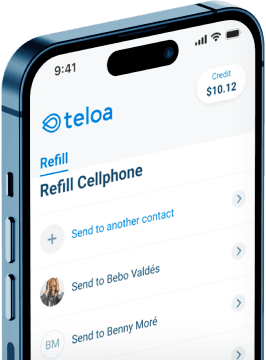
Download the Teloa App
Instantly refill your prepaid plan anytime, anywhere.


Get the Most Out of Your Plan
1. Can I choose which day of the month my plan renews?
Yes. When you set up Autopay on Teloa, you pick the exact day of the month you want your plan to renew. This way, you can align it with your payday or whatever works best for you. You also save 5% on every Autopay payment starting from your second refill. How to set up Autopay.
2. Can I track my phone refill history?
Yes. Every refill you make is saved in your Teloa account. You can review past transactions anytime, including the date, amount, carrier, and phone number refilled. You'll also receive a confirmation via SMS, email, or push notification after every payment. How to view your refill history in Teloa.
3. Can I refill family and friends' phones?
Yes. Just enter their phone number instead of yours during checkout. Teloa detects their carrier automatically and you confirm it. You can save multiple contacts in your account to make future refills even faster. You can also set up Autopay for someone else's number so their plan renews automatically every month. How to edit Autopay in Teloa.
4. Can I set up Autopay for more than one phone number?
Yes. You can activate Autopay separately for each phone number saved in your account; whether it's your own line or someone else's. Each one gets its own renewal date, plan amount, and payment method. And you save 5% on every Autopay refill. How to set up Autopay.
5. What's the best app for prepaid phone refills?
Teloa is one of the top-rated apps for prepaid phone refills in the USA, with a 4.9 rating on the App Store and 4.8 on Google Play. It supports all major carriers including T-Mobile, AT&T, Verizon, Cricket, Metro by T-Mobile, and more. You can refill in seconds, set up Autopay, track your history, and earn cashback — all from one app. Available on iOS and Android.
6. Postpaid vs Prepaid: What's best for me?
Prepaid plans give you full control:
- No contracts
- No credit checks & no surprise charges
- Postpaid plans often come with long-term commitments and higher monthly costs
If you want flexibility and savings, prepaid is usually the smarter choice. And with Teloa, you can save even more through Autopay or cashback discounts on every refill. Tips to save on your phone plan.
7. What should I do if something goes wrong with my refill?
First, don't worry Teloa only charges you if the refill is successfully delivered. If your balance doesn't update after a few minutes, try checking it again directly with your carrier. If the issue continues after one hour, reach out to our support team at help@teloa.com or through the chat on the app and website. We're available 7 days a week in English and Spanish. Troubleshoot payment issues.