

US Carriers Supported
US Carriers Supported








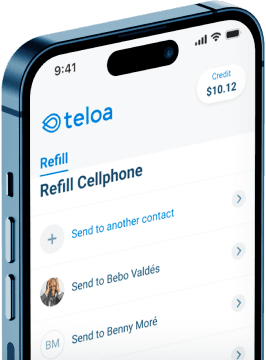
Download the Teloa App
Instantly refill your prepaid plan anytime, anywhere.


Get the Most Out of Your Metro by T-Mobile Plan
1. How does Teloa cashback and Autopay work?
Teloa rewards you every time you refill. You earn 3% back in Teloa credit on every purchase. For example, a $50 refill gives you $1.50 in credit. This credit never expires and can be used toward future refills. Learn more about Teloa credit.
If you prefer to save even more, enable Autopay and get 5% off every payment starting from your second refill. Your plan renews automatically every 30 days, so your service is never interrupted How to set up Autopay with Teloa.
2. How do I get $5 for referring a friend to Teloa?
Go to Invite your Friends and share your personal referral link. When your friend completes their first refill, they get $5 off, and you receive $5 in Teloa credit that never expires. You can refer as many friends as you like, and there's no limit on how much credit you can earn. See full details about Teloa referral program.
3. Does Teloa have a mobile app?
Yes. The Teloa app is available on iOS and Android. From the app you can refill your phone in seconds, set up Autopay, track your refill history, manage your Teloa credit, and reach our support team through the chat. It's rated 4.9 on the App Store and 4.8 on Google Play.
4. Can I refill someone else's phone with Teloa?
Yes, just enter the phone number of the person you want to refill instead of your own. Teloa will detect their carrier automatically, you just confirm it and select the plan amount. It's a quick way to help family or friends keep their phone active, even if they're not near you. You can also set up Autopay for someone else's number. See the full step-by-step guide.
5. How can I contact Teloa support?
You can reach Teloa support team through the live chat on the Teloa app or website, or by email at help@teloa.com. We're available 7 days a week in English and Spanish, and you'll always talk to a real person, not a chatbot.
6. Which Metro by T-Mobile plan should I buy?
It depends on how you use your phone. If you mainly call and text, a basic plan may be all you need. If you stream, browse, or use hotspot often, an unlimited plan will give you more flexibility.
Metro by T-Mobile offers several prepaid options at different price points. Compare all Metro plans here.
7. How can I check my Metro by T-Mobile balance?
Metro by T-Mobile operates on monthly prepaid plans, so your "balance" reflects your next payment due date and the data remaining in your current cycle. You can check your balance in the following ways:
- Using the myMetro® app.
- Logging into your account at metrobyt-mobile.com/my-account to view your balance and payment history.
- Dialing *611 from your Metro phone, or calling 1-888-8-METRO-8 from any phone.
If you recharged with Teloa and your account hasn't updated after a few minutes, reach out to us at help@teloa.com and we'll help you sort it out. How to verify your payment after recharging with Teloa.