

Pay your Verizon Prepaid phone in 10 seconds. First refill $5 off.

Why Teloa?

Monthly Autopay with 5% discount
Enable automatic payments with Teloa and your Verizon plan will renew every 30 days if your carrier account has enough credit, saving you 5% each month. Cancel anytime, no commitments.

Fast and secure, without hidden fees
Teloa never stores your payment details. Use Apple Pay, Google Pay, PayPal, Cash App, USDC via Stripe or card —no bank account needed. Receive instant confirmation via SMS, push notification or email after every Verizon refill.

3% Cashback & $5 When You Invite Your Friends
Earn 3% in Teloa credit on every Verizon refill—credits that never expire. Plus, invite your friends and everyone benefits: you'll get $5 in credit, and your friends enjoy a $5 discount on their first refill.
Monthly Autopay with 5% discount
Enable automatic payments with Teloa and your Verizon plan will renew every 30 days if your carrier account has enough credit, saving you 5% each month. Cancel anytime, no commitments.
Fast and secure, without hidden fees
Teloa never stores your payment details. Use Apple Pay, Google Pay, PayPal, Cash App, USDC via Stripe or card —no bank account needed. Receive instant confirmation via SMS, push notification or email after every Verizon refill.
3% Cashback & $5 When You Invite Your Friends
Earn 3% in Teloa credit on every Verizon refill—credits that never expire. Plus, invite your friends and everyone benefits: you'll get $5 in credit, and your friends enjoy a $5 discount on their first refill.
US Carriers Supported
US Carriers Supported








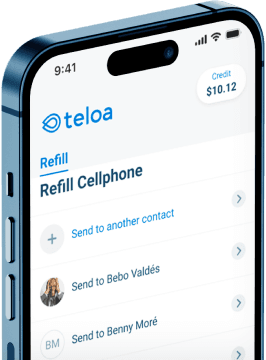
Download the Teloa App
Instantly refill your prepaid plan anytime, anywhere.


Verizon Refill Offer Terms
- One refill per payment method.
- Only for phone numbers that haven’t been refilled before on Teloa.
All You Need to Know about Verizon Refills
1. How do I pay my Verizon bill online?
Teloa makes paying your Verizon bill simple. Enter your phone number, select your plan, choose how you want to pay, and you're done. Your refill is applied instantly and you'll get a confirmation right away via SMS or email. No need to visit a store or remember any PINs. Plus, new Teloa users get $5 off their first refill. See the full step-by-step guide.
2. Can I use PayPal, Apple Pay, or Google Pay, Cash App to pay my Verizon bill?
Yes. Teloa accepts PayPal, Apple Pay, Google Pay, Cash App and all major credit, debit, and prepaid cards — no bank account needed. Your payment details are never stored, and your Verizon refill goes through in seconds. USDC via Stripe also supported. See all accepted payment methods.
3. Is it safe to refill my Verizon plan through Teloa?
Yes. Teloa uses secure, encrypted payment processing and never stores your card or payment information. Cybersecurity platforms like APIVoid and ScamAdviser give Teloa a 100% trust score. You'll receive an instant confirmation via SMS, email, or push notification after every refill. Learn more about how Teloa protects your payments.
4. Do I need to create an account to pay my Verizon bill?
Not the usual way. Skip the signup form and password — continue with Google, Apple, or Facebook instead, and most of the time you won't even type an email. Teloa sets up your refill account automatically behind the scenes, so you can pay your Verizon bill in seconds.
5. Can I put my Verizon plan on autopay?
Yes. With Teloa's Autopay, your Verizon plan renews automatically every 30 days, and starting from your second refill, you save 5% on every payment. There are no commitments and you can cancel anytime. Autopay is the easiest way to keep your phone active and save money. How to set up Autopay.
6. How can I save money on my Verizon phone plan?
Going prepaid is already a smart move: no contracts, no surprise fees, and you only pay for what you need. But if you refill with Teloa, you save even more. New users get $5 off their first refill, and Autopay saves you 5% on every payment after that. Share your referral link and you and your friend both get $5. No codes needed, discounts apply automatically. More tips to save on your prepaid phone plan.
7. Is it better to pay my phone plan online or buy a refill card in a store?
Paying online with Teloa beats buying a refill card at a store in every way:
- Refill instantly from anywhere, no driving or waiting in line
- No risk of expired or invalid cards
- Save 5% with Autopay, something store-bought cards can't offer
- Available 24/7, even at midnight or on holidays
- Bilingual support team available 7 days a week in English and Spanish
7. How can I check my Verizon Prepaid balance?
You can check your Verizon Prepaid balance by:
- Dialing #BAL# (or #225#) from your prepaid phone
- Calling +1 888-294-6804 from any line
- Signing in at your Verizon account
If your balance doesn't update after several minutes you can write an email to help@teloa.com asking for help. How to check your balance after refilling with Teloa.