Yes, refilling your prepaid phone online is safe, as long as you use a PCI-compliant platform (one that meets the security standards banks require for handling card data) and that platform doesn’t store your card information. What actually puts you at risk is entering your credit card on a site that has no business handling it.
Most prepaid phone users in the US already refill online through apps or websites. The process takes less than a minute, and on a secure platform, your card information never touches the refill provider’s servers. But not every website handles your data the same way. Some store your full card number in their database. Others use tokenized payments that never touch your actual credentials. The difference matters more than most people realize.
This guide breaks down what makes a refill platform secure, which red flags should make you close the tab, and the safest ways to pay.
What Makes an Online Refill Platform Secure#
Security isn’t a single feature. It’s a stack of protections working together. Here’s what to look for before you enter any payment information on a refill site.
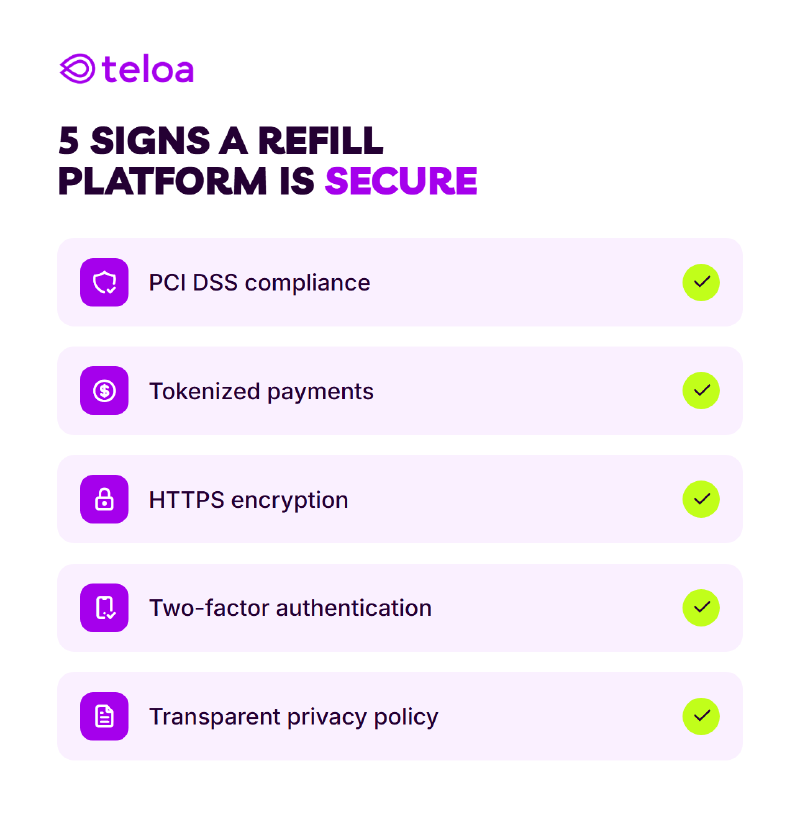
PCI DSS compliance. PCI DSS (Payment Card Industry Data Security Standard ) is the baseline requirement for any business that handles credit card data. A PCI-compliant platform encrypts your information during transmission and follows strict rules about how (or whether) it stores your data. If a site doesn’t mention PCI compliance anywhere, that’s a problem.
Tokenized payments. The gold standard for payment security. Instead of storing your actual card number, the platform generates a one-time token that represents your payment. Even if someone breaches the system, they get a useless string of characters, not your Visa number.
Teloa , for example, is PCI-compliant and uses tokenized payments. Your credit card information is never stored on their servers. The payment processes through a secure token, and your actual card details exist only with the payment processor, not the refill platform.
Teloa’s payment processing meets the highest data protection standards, and independent website-safety platforms back that up: ScamAdviser gives teloa.com a 100/100 trust score, and tools like APIVoid rate it as safe. That makes it one of the safest ways to pay your phone bill.
HTTPS encryption. Look at the URL bar in your browser. The address should start with https:// and show a 🔒 icon next to it. If you see http:// without the padlock, your data travels unencrypted. Every legitimate refill platform uses HTTPS. No exceptions.
Two-factor authentication (2FA). Platforms that offer 2FA for your account add another layer between an attacker and your payment methods. If a site lets you enable it, do it.
Transparent privacy policy. A trustworthy platform tells you exactly what data they collect, how long they keep it, and who they share it with. Vague language like “we may share your data with partners” without specifics is a warning sign.
Red Flags That a Refill Site Isn’t Safe#
Not every site with a refill button deserves your trust. Here are a few signs that should make you back away.
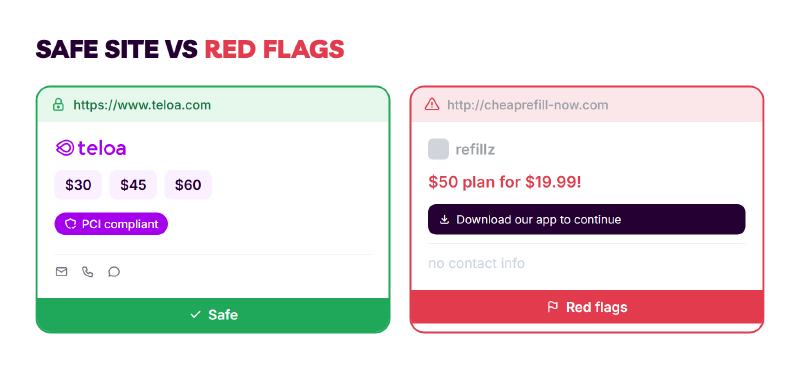
Start with the technical signals. No padlock icon in the URL bar means no HTTPS, and your payment data could be intercepted in transit. If the site also says nothing about PCI compliance or security certifications anywhere, that tells you enough about how they handle your card information. Close the tab.
Asks for unnecessary personal information. A refill needs your phone number and a payment method. If a site asks for your Social Security number, date of birth, or home address just to add minutes to your phone, something is off.
Prices that seem too good to be true. A $50 plan for $25 isn’t a deal. It’s likely a scam. Refill platforms buy airtime at wholesale rates, but the margins aren’t that dramatic. Extreme discounts often mean stolen credit cards are funding the refills, and your transaction could be reversed later.
Broken or outdated website design. This one seems superficial, but it matters. A site that hasn’t been updated since 2018 probably hasn’t updated its security infrastructure either. Outdated software has known vulnerabilities that attackers exploit.
No customer support channel. If there’s no way to contact the company (no email, no chat, no phone number) you have zero recourse if something goes wrong.
Pop-ups asking you to install software. You don’t need to download anything to refill your phone. If a site pushes browser extensions or apps before you can complete a transaction, leave immediately.
The Safest Payment Methods for Prepaid Refills#
Not all payment methods carry the same risk. Here’s how they rank from most secure to least and why:
| Rank | Payment Method | Reason |
|---|---|---|
| 1 | Apple Pay | Tokenized. Uses Face ID/Touch ID. Your card number is never shared with the merchant. |
| 2 | Google Pay | Tokenized. Virtual account number replaces your real card. Biometric or PIN verification. |
| 3 | PayPal | Acts as a buffer between your card and the merchant. Offers buyer protection and dispute resolution. |
| 4 | Credit Card | Fraud protection from the issuer. Easier to dispute charges than debit. You’re spending the bank’s money, not yours. |
| 5 | Debit Card | Directly connected to your bank account. If compromised, real money leaves your account immediately. Harder to recover. |
Apple Pay and Google Pay sit at the top because they never share your actual card number with the merchant. The transaction uses a device-specific token and a one-time dynamic security code. Even if the refill platform gets breached, attackers can’t use this data.
Credit cards are safer than debit cards because if your card number gets stolen, your credit card company covers the fraudulent charges. With a debit card, the money leaves your bank account instantly, and getting it back means filing a claim and waiting.
Debit cards are the riskiest option for online refills. They pull directly from your checking account. If your card number is stolen, an attacker drains real cash, and you’re left waiting for a fraud investigation before you see it again.
If the platform supports Apple Pay or Google Pay, use them. You get the strongest protection with the least friction. If not, a credit card through a PCI-compliant platform is your next best option.
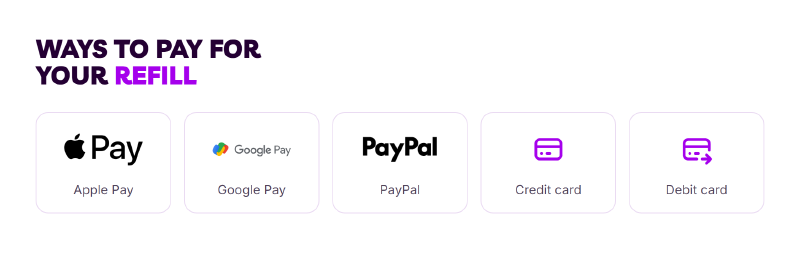
Teloa supports all of these — Apple Pay, Google Pay, PayPal, and credit or debit card — so you can refill with the most secure method you already use, while your card data stays tokenized and is never stored.
FAQ#
Can someone steal my information when I refill my phone online?#
It’s possible if you use an unsecured platform, but unlikely on a PCI-compliant site with tokenized payments. The key is choosing a platform that encrypts your data and doesn’t store your full card number. Using Apple Pay or Google Pay adds another layer of protection since your real card number is never shared.
Is it safer to refill at a store or online?#
Both carry risks, and honestly, online can be safer. When you refill at a store, you hand your card to a clerk or swipe it on a terminal that could have a skimmer. Online, a PCI-compliant platform with tokenized payments never exposes your card number to anyone, not even the platform itself.
What does PCI-compliant mean for my payment?#
PCI DSS (Payment Card Industry Data Security Standard ) is a set of security requirements that any business handling credit card data must follow. For you, it means the platform encrypts your card information, limits who can access it internally, and undergoes regular security audits. It’s the minimum standard for handling payments securely.
What should I do if I think a refill site is a scam?#
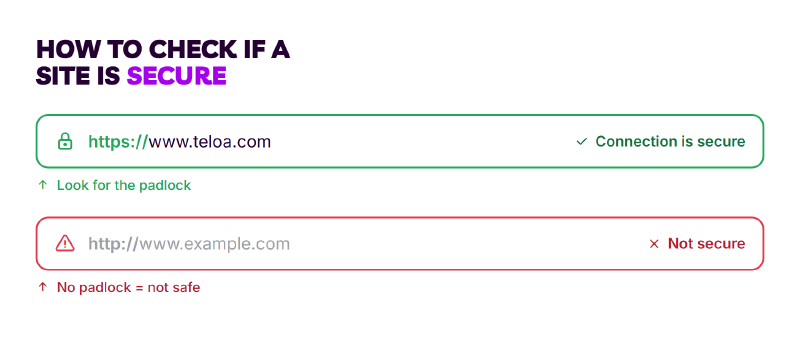
Stop the transaction immediately and don’t enter any payment information. Check the URL bar in your browser. The address should start with https:// and show a 🔒 icon next to it. If there’s no padlock and no way to contact the company, close the tab. If you already entered your card details, contact your bank to freeze the card and dispute any charges.
If you’re ever unsure whether a site is trustworthy, run it through a specialized website-safety checker like ScamAdviser or APIVoid . Teloa, for instance, comes back with a 100/100 trust score.
What’s the safest way to refill my prepaid phone online?#
Use a PCI-compliant platform with tokenized payments. The Teloa app and website let you refill supported prepaid carriers in under a minute, support Apple Pay, Google Pay, PayPal, and cards, and never store your card data — which is why it’s one of the safest, simplest ways to keep your phone active.